Discord audio mixer for Windows · Now on the Microsoft Store

Your rig. Your mic. One clean feed.

Patchline mixes your USB amp modeler, a separate microphone and backing tracks into a single virtual output that Discord picks up like a normal mic. No more choosing between your voice and your tone.

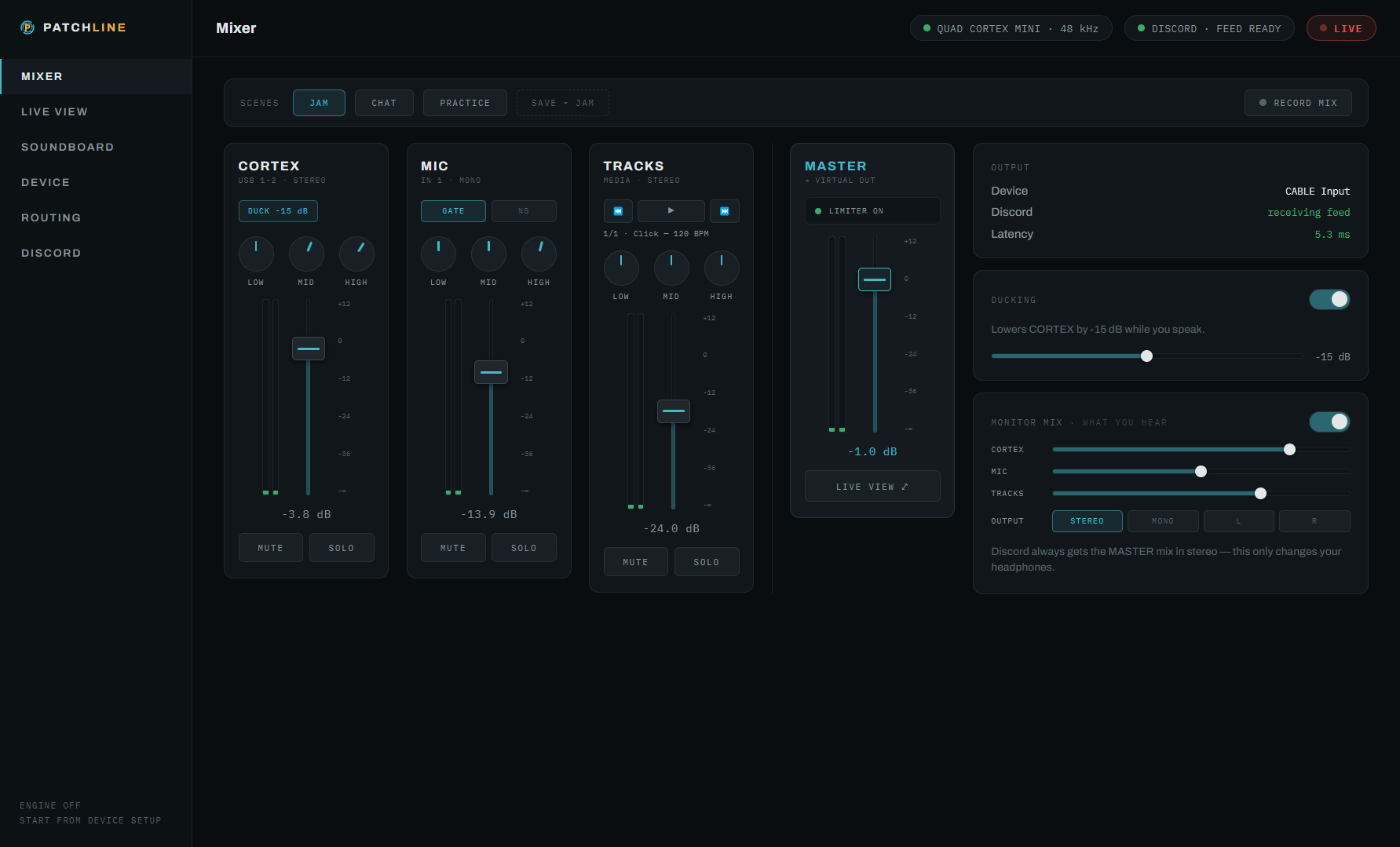
The Patchline mixer — CORTEX, MIC and TRACKS channel strips with EQ, ducking and a master limiter feeding the Discord virtual output The mixer — live

PTT works from any window — bind any key or mouse button

Free core mixer · Pro £14.99 one-time · Windows 10 / 11

The app

A real mixer, not a settings page

Channel strips, meters and routing you can see — built for guitarists who jam on Discord.

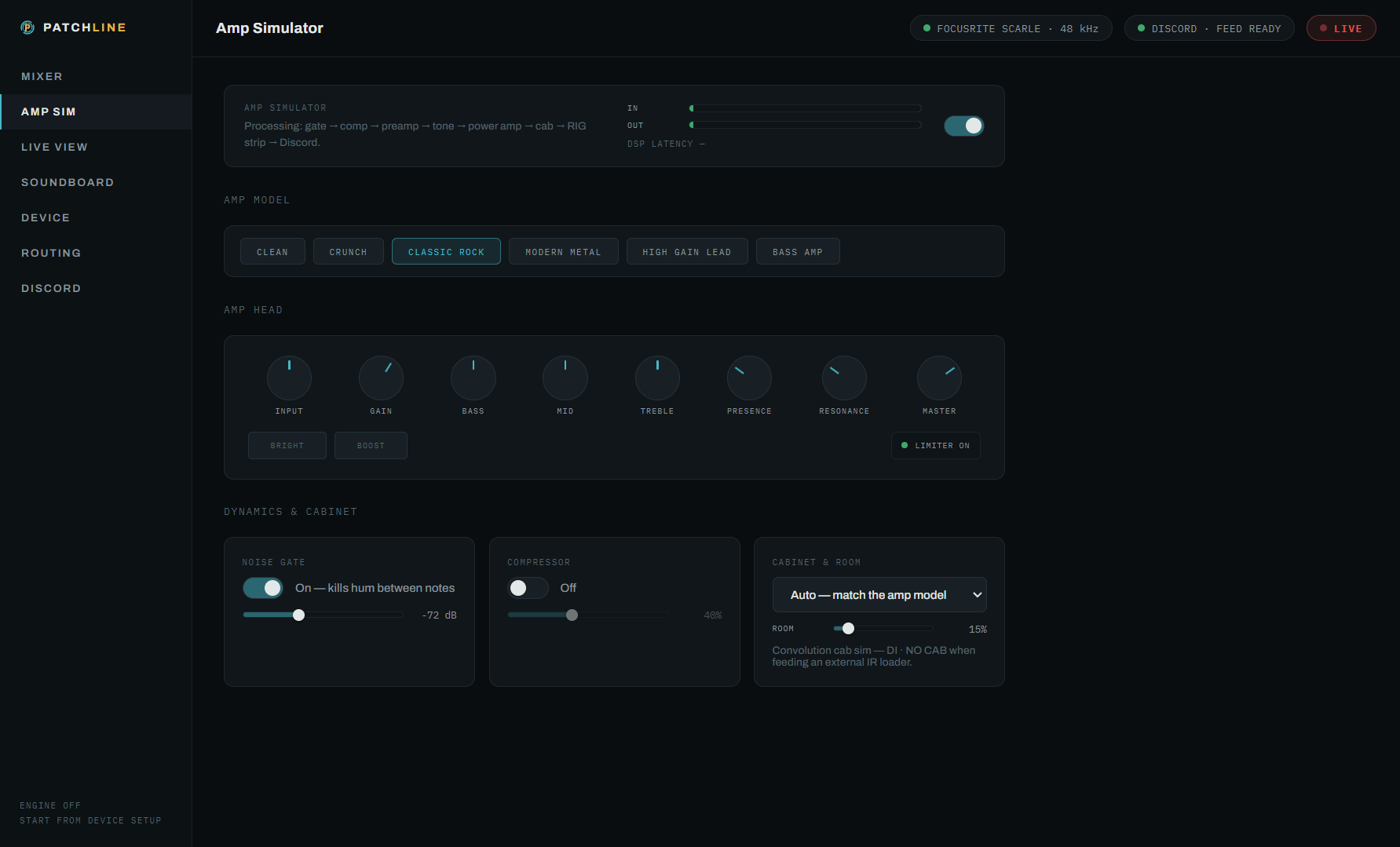
The Patchline Amp Simulator — six amp models, amp-head knobs, noise gate, compressor and cabinet simulation Amp Simulator · Pro

A real amp, in the app

Six guitar and bass amp models with cabinet simulation, right on the instrument strip — gate, compressor, amp head and room in one signal chain. Plug in a plain interface and still bring a proper tone to the jam.
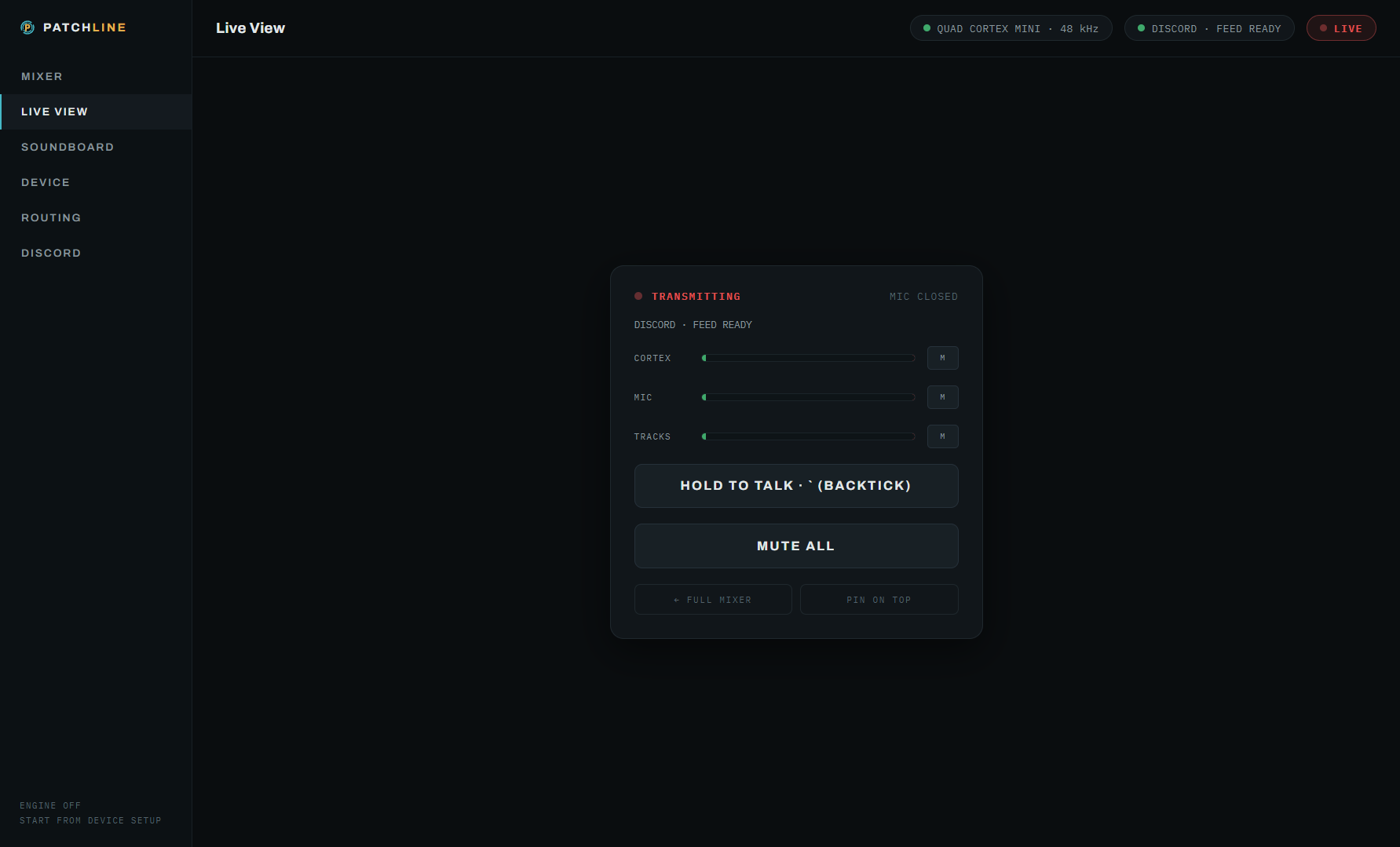
Patchline Live View — compact always-on-top panel with push-to-talk

Live View

A compact always-on-top panel with push-to-talk / push-to-mute and a global hotkey — keep playing while Discord, your DAW or a game has focus.

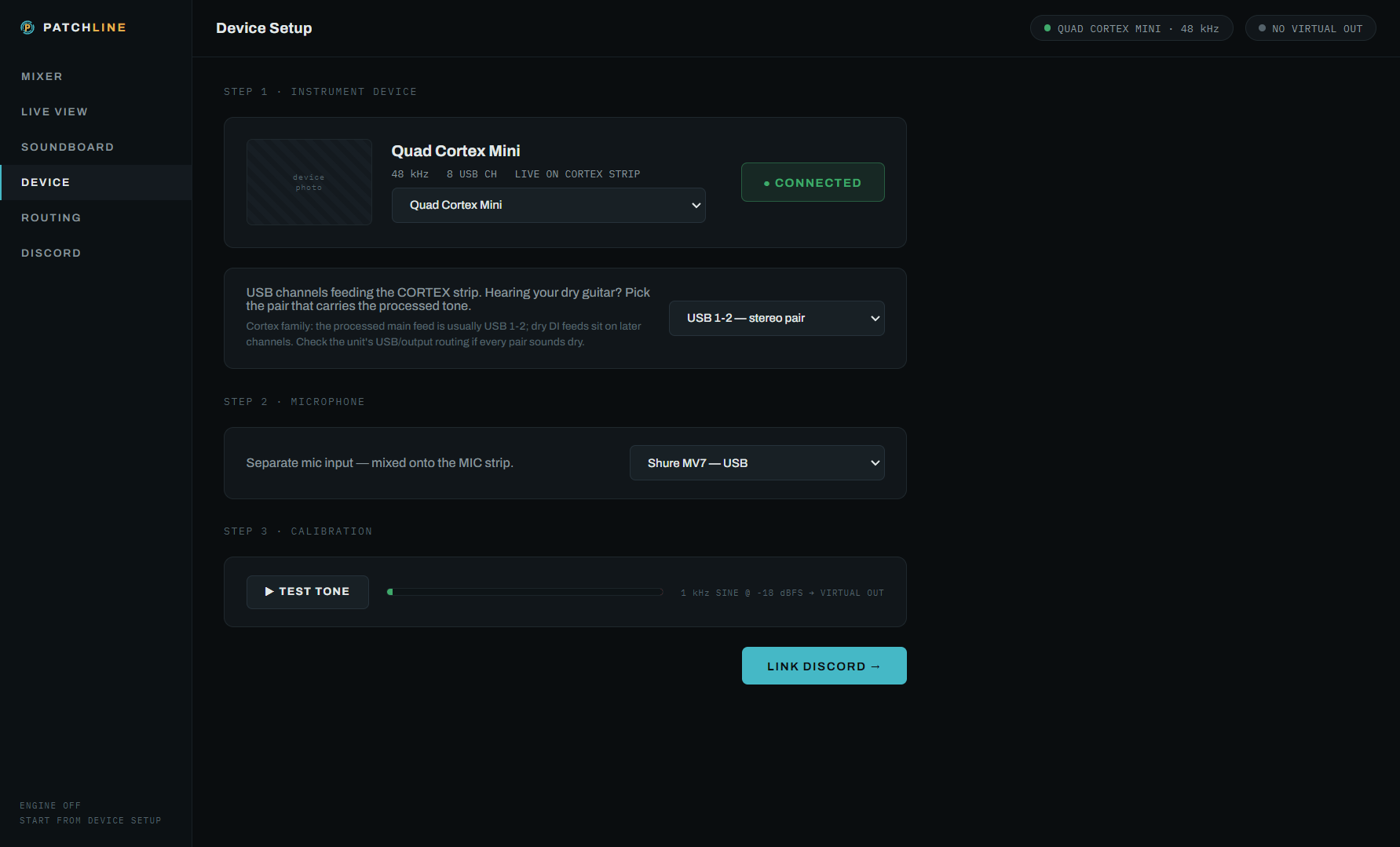
Patchline device screen auto-recognising a USB amp modeler

Knows your modeler

Auto-recognises the Quad Cortex, TONEX, Helix, Kemper, HeadRush and more — with per-device USB channel hints, so the processed tone lands on the strip, not the dry DI.

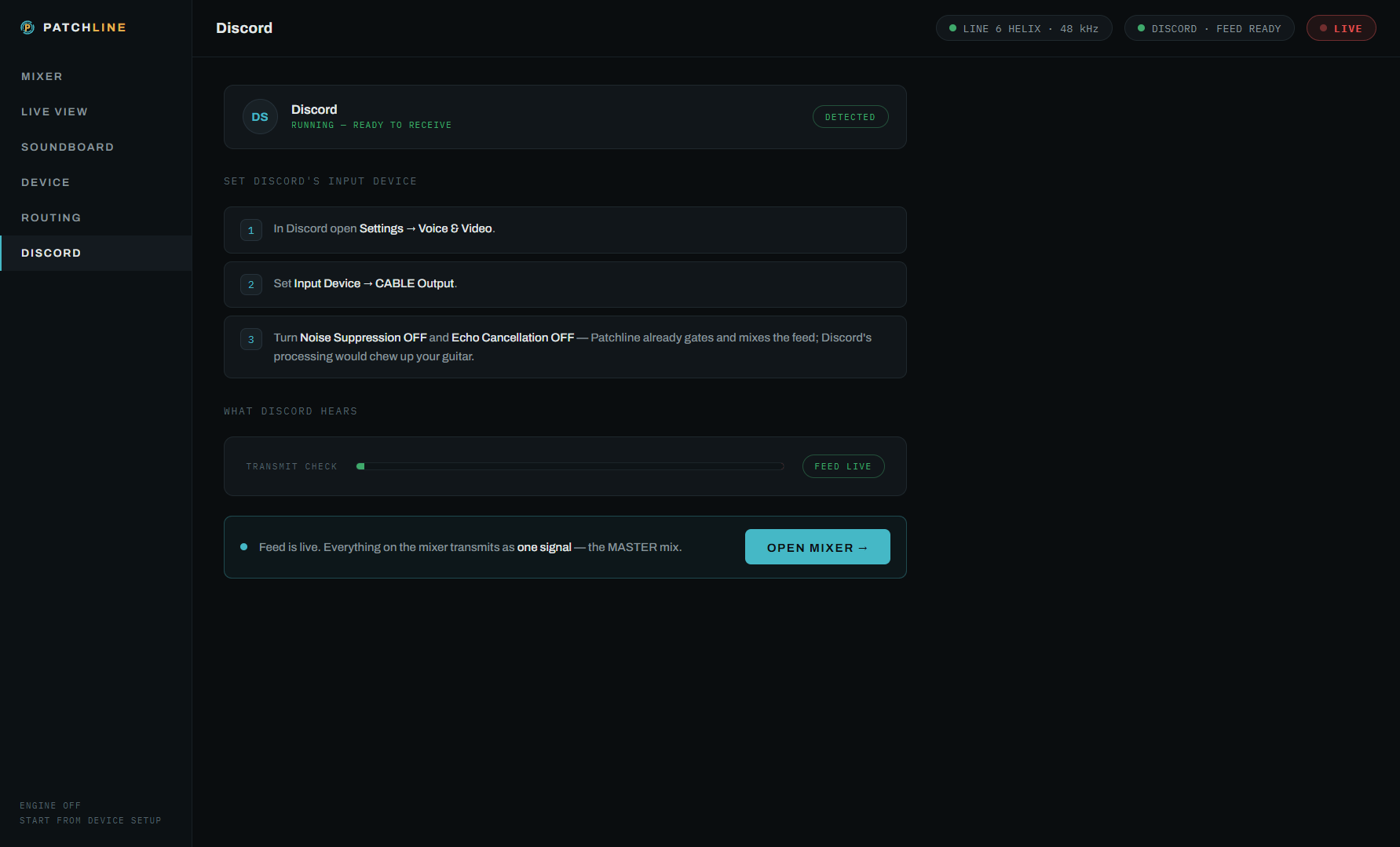
Patchline guided Discord routing with live transmit meter

Guided Discord routing

Step-by-step: point Discord's mic at the virtual cable and watch the live transmit meter confirm your friends can hear the mix — setup status shown all the way.

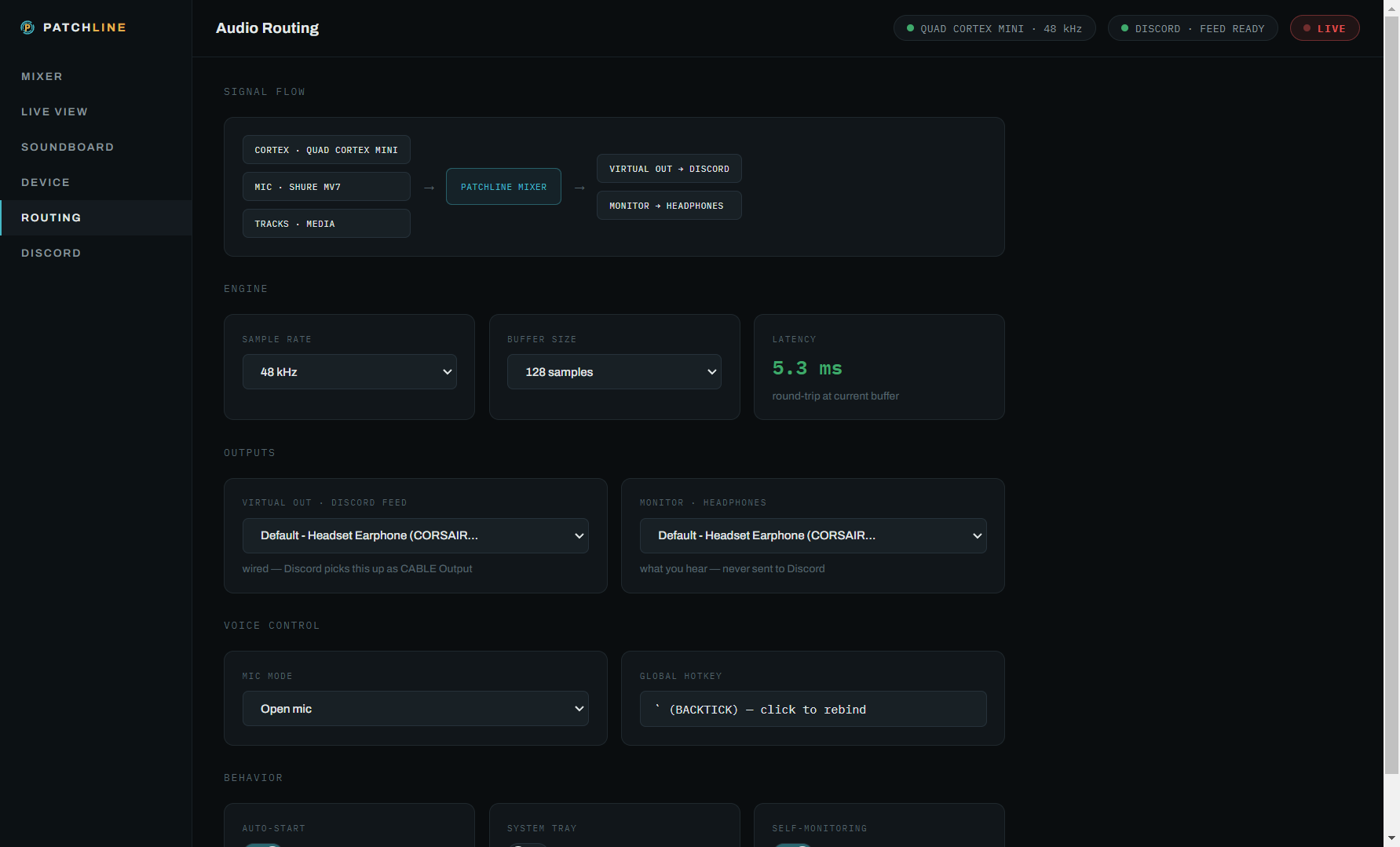
Patchline routing overview — rig, mic and tracks flowing to the virtual cable and monitor mix

Routing, visualised

See exactly what flows where: rig + mic + tracks into the virtual cable for Discord, with a separate monitor mix on your own headphones.

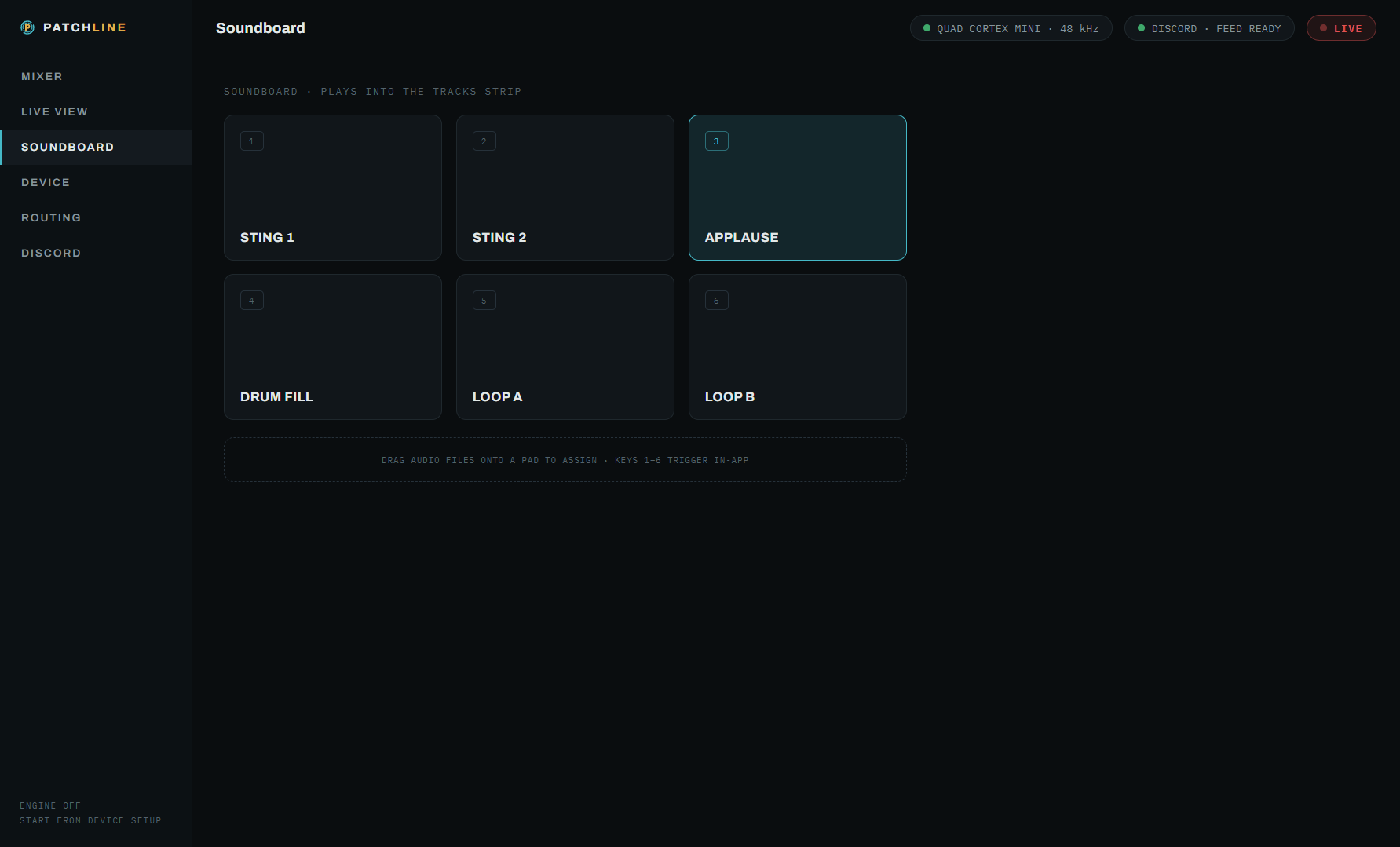
Patchline soundboard — six pads with custom sounds Pads 3–6 · Pro

Soundboard

Six pads, drag your own sounds on — stings, memes, count-ins. Two pads are free; the full board comes with Pro.

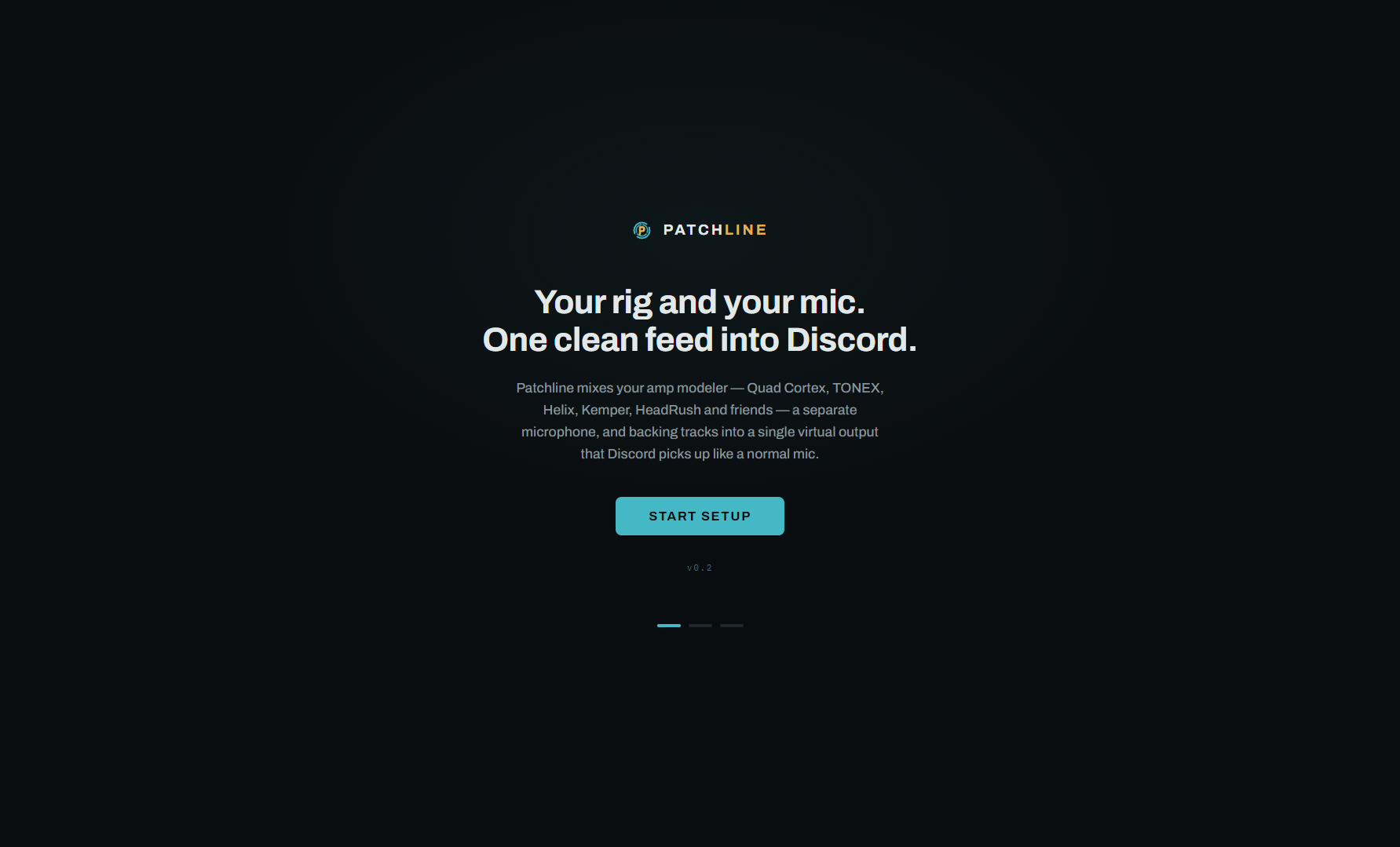
Patchline onboarding — guided setup from install to jamming

Set up in minutes

Guided onboarding takes you from first launch to jamming: connect your rig, hook up the virtual cable, point Discord at it, play.

Why it's different

Real DSP, tuned for jamming

01

Voice-first ducking

Sidechain ducking automatically lowers the guitar and tracks when you speak — your friends never miss a word mid-solo.

02

Per-strip EQ & dynamics

3-band EQ on every strip, a noise gate on the mic, and a master limiter so the feed never clips — proper mixing, not just volume sliders.

03

Monitor mix, your way

Hear yourself stereo, mono or one-ear without changing what Discord gets. Your monitor and their feed are separate mixes.

04

ScenesPro

One-click JAM / CHAT / PRACTICE mix presets, plus save your own. JAM is free; CHAT, PRACTICE and custom scenes come with Pro.

05

One-click recordingPro

Capture the whole session — rig, voice and tracks as your friends heard it — straight into your Music › Patchline Recordings folder.

06

Everything stays local

No accounts, no analytics, no servers. Your audio is mixed on your PC in real time and goes only where you route it.

How it works

From install to jamming in minutes

No account, no subscription. One quick driver install, then Patchline does the fiddly part.

1

Install Patchline

Get the app for Windows and plug in your rig. Patchline recognises your modeler and puts it on a channel strip next to your mic and tracks.

2

Add the virtual cable

Install VB-Audio's free VB-CABLE driver from vb-audio.com — a separate, one-off install. Patchline detects it and routes the master mix into it automatically.

3

Point Discord at it

Pick CABLE Input as Discord's microphone — the live transmit meter confirms it's flowing. Your friends now hear the whole mix.

About the driver: Patchline routes its mix to Discord through the free VB-Audio VB-CABLE virtual audio driver — a separate product that you download and install yourself; it isn't included with Patchline. Once it's installed, the app detects it and confirms your routing with live meters. Without VB-CABLE, Patchline still works as a standalone mixer, monitor and recorder for your rig; the driver is only needed for the Discord feed.
Simple pricing

Free core mixer. One unlock for everything.

No subscription, no account with us. Patchline Pro is a single one-time purchase made inside the app through the Microsoft Store.

Free

£0

The full core mixer, free forever.

  • Mix your modeler, mic & backing tracks
  • 3-band EQ, noise gate, ducking, master limiter
  • Monitor mix — stereo, mono or one-ear
  • Live View with global push-to-talk
  • JAM scene + two soundboard pads
  • Cable detection & guided Discord setup
Get it free on the Microsoft Store

Patchline Pro is a durable in-app add-on sold through the Microsoft Store — Microsoft handles payment, we never see your card details. Prices shown in GBP; the Store shows your local price at checkout.

Questions

Good to know

What exactly is Patchline?
A desktop mixer for Windows that blends your USB amp modeler or audio interface, a separate microphone and backing tracks into one virtual feed that Discord uses as your mic — so your friends hear your voice and your tone, properly mixed.
Which amp modelers work with it?
Patchline auto-recognises the Neural DSP Quad Cortex, IK TONEX, Line 6 Helix / HX / POD Go, Kemper Profiler Player, HeadRush, Valeton GP and more, with device-specific setup hints — plus any class-compliant USB audio interface. For units that put the processed tone and dry DI on different USB channels, you can pick the exact channel pair.
Do I need VB-CABLE?
Only for the Discord feed. VB-CABLE is a free virtual audio driver from VB-Audio that you download and install yourself from vb-audio.com — a separate, one-off install; it isn't included with Patchline. Once it's in, Patchline detects it and confirms the routing. Without it, Patchline still works as a standalone mixer, monitor and recorder for your rig.
Does Patchline connect to my Discord account?
No. There's no login and no OAuth. Discord simply hears the virtual cable like a normal microphone. Patchline only checks locally whether Discord is running so it can show you setup status and a live transmit meter.
Is Patchline free?
The core mixer is free, forever: mixing your rig, mic and tracks, per-strip EQ, noise gate, ducking, monitor mix, Live View with global push-to-talk and two soundboard pads. Patchline Pro is an optional one-time unlock.
What does Patchline Pro include — is it a subscription?
Patchline Pro is a one-time in-app purchase (£14.99) through the Microsoft Store — no subscription. It unlocks the Amp Simulator (six amp models with cab simulation), one-click session recording, the CHAT and PRACTICE scenes plus saving your own, and all six soundboard pads. Once bought, it's yours.
Where does my audio go?
Nowhere. Everything is mixed locally on your PC in real time. Recordings are saved to your own Music › Patchline Recordings folder. Patchline has no accounts, no analytics and no server of its own. The full detail is in the Privacy Policy.
Where do I get Patchline?
Patchline is live on the Microsoft Store — install it free on Windows 10 and 11. Patchline Pro is an optional one-time unlock made inside the app.

Get your whole rig heard.

Patchline for Windows — the free core mixer covers your first jam and every one after it.

Free core mixer · No account needed · Windows 10 / 11